1
/
of
16
Tinker Tailor
Dazzling Awesome ESP32 C3 Board with Twinkling RGB Lights!
Regular price
$24.75 CAD
Regular price
Sale price
$24.75 CAD
Shipping calculated at checkout.
Quantity
⚡
Only 3 left in stock. Hurry!
Couldn't load pickup availability
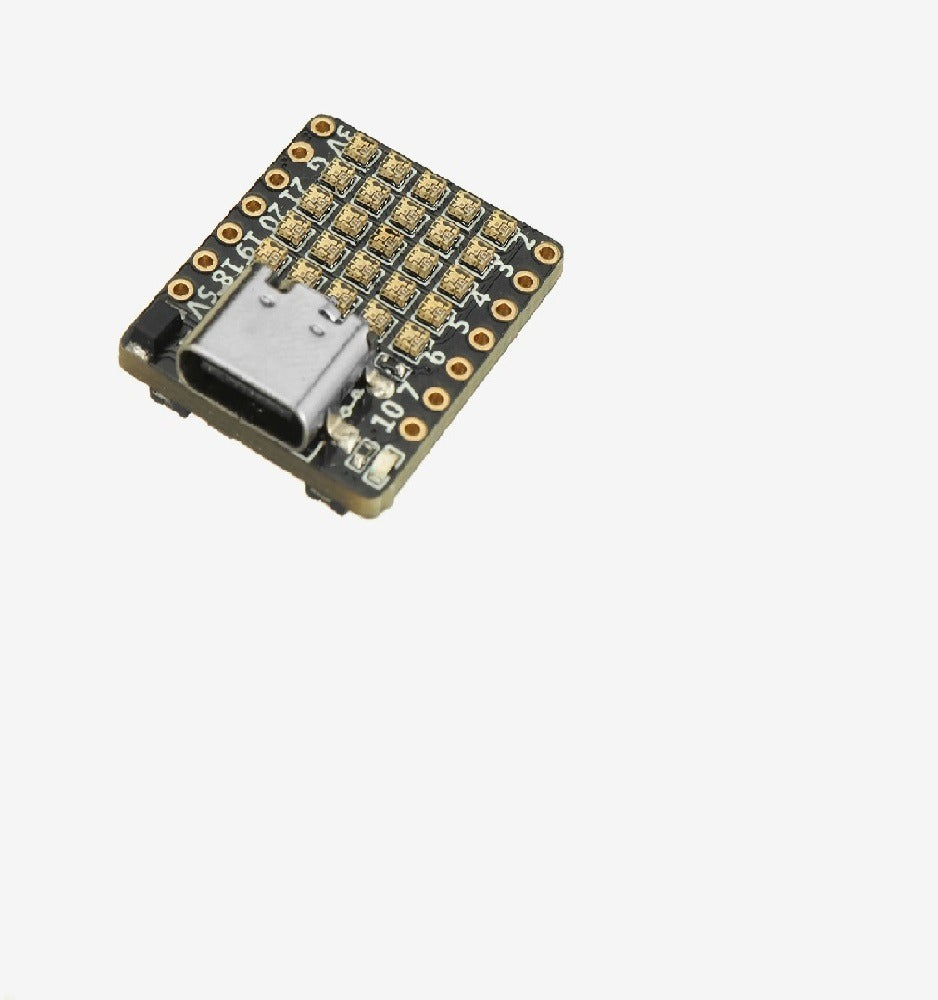
ESP32 C3 Dev Board 25 x WS2812B
Introducing the ultimate addition to your project toolkit—the ESP32C3 board! This board is packed with features that will add both functionality and flair to your creations. Featuring the powerful ESP32C3 chip and dazzling RGB lights, it's a must-have for any electronics enthusiast. I can't believe you're still reading this and haven't ordered a few already!
Key Features:
-
Ultra-Compact Design:
- RISC-V 32-bit single-core processor at 160MHz
- Built-in 400 KB SRAM and 4 MB Flash
- Integrated 2.4 GHz Wi-Fi
- Supports long-distance Bluetooth 5 (LE) with industry-leading RF performance and low power consumption
-
Advanced Security:
- RSA-3072-based secure boot
- AES-128-XTS-based flash encryption for enhanced Bluetooth security
-
Versatile Applications:
- Ideal for space-constrained or battery-powered devices such as wearables, medical devices, sensors, and other IoT devices
- Fully compatible with Arduino, MicroPython, ESP32-IDF, and other mainstream development platforms
High Integration:
-
C3FH4 RGB Includes:
- 2 channels of 5V to 3.3V DC/DC
- 11 GPIOs
- 25 programmable RGB lights arranged in a 5x5 matrix
- 2 buttons for user interaction
- Finely tuned RF circuit for stable and reliable wireless communication
Specifications:
- SoC/SiP: ESP32-C3FH4 with RISC-V core @ 160 MHz, 4MB flash, 2.4GHz Wi-Fi, and Bluetooth 5 LE with Long-Range support
- Ceramic Antenna: Ensures robust connectivity
- Display: 25x WS2812B-1515 RGB LEDs in a 5×5 matrix
- USB: 1x USB Type-C port for power and programming via CH340E USB to TTL chip
- Expansion: 2x 7-pin headers with up to 11x GPIOs, 5V, 3.3V, GND
- Miscellaneous: Enable and user buttons, power LED, status/user LED, and an additional 4-pin header
- Dimensions: 21 x 18 mm
- Weight: About 2.3 grams
Get Started with Ease:
- GitHub Code Examples: Check out the ESP32 C3 and ESP32 PICO D4 repositories for sample codes like “BlinkWithoutDelay,” “RGBWstrandtest,” and “strandtest_wheel.” Adjust the code to suit your needs.
- Important Upload Instructions( I didn't have to do this but it is in the manufacturers information): For Arduino IDE, Hold down B button on board, press R button and release again but keep on pressing B, trigger Arduino IDE to upload sketch, keep B pressed until Arduino IDE says that it's connected. Then you can release B button.
- Arduino Serial Monitor: Enable "CDC on Boot" in Tools | USB CDC On Boot to view serial monitor output.
---
GitHub code examples:
ESP32 C3: https://github.com/01Space/ESP32-C3FH4-RGB
ESP32 PICO D4: https://github.com/01Space/ESP32-PICO-D4-RGB
ARDUINO: To view messages in the Serial Monitor: To view the serial monitor output with this device, according to the documentation:
- Serial works with "CDC enable on boot" set to true.
So I searched all over the lands of the Internet and spent a long time trying to find this.. turns out - it's literally just in Tools | USB CDC On Boot and choose enabled. You're welcome!
Share
No reviews
Downloads for this Product (if available)