Limited
Tinker Tailor
ESP32 C3 Board with 25 Lights Matrix
ESP32 C3 Board with 25 Lights Matrix
Regular price
$24.75 CAD
Regular price
Sale price
$24.75 CAD
Shipping calculated at checkout.
Quantity
Couldn't load pickup availability
Not sure which board? Compare every board by chip, touch pins, size and wireless.
Microcontroller Guide →Canadian-owned and packed by hand in Nova Scotia, so there's no cross-border duty or brokerage. Shipping rates
Note: LIMITED PRODUCT!
Ships next business day from Nova Scotia · 30-day returns · Questions? cmoz@tinkertailor.ca
Add this too


USB C Data Cable
$5.75

Details
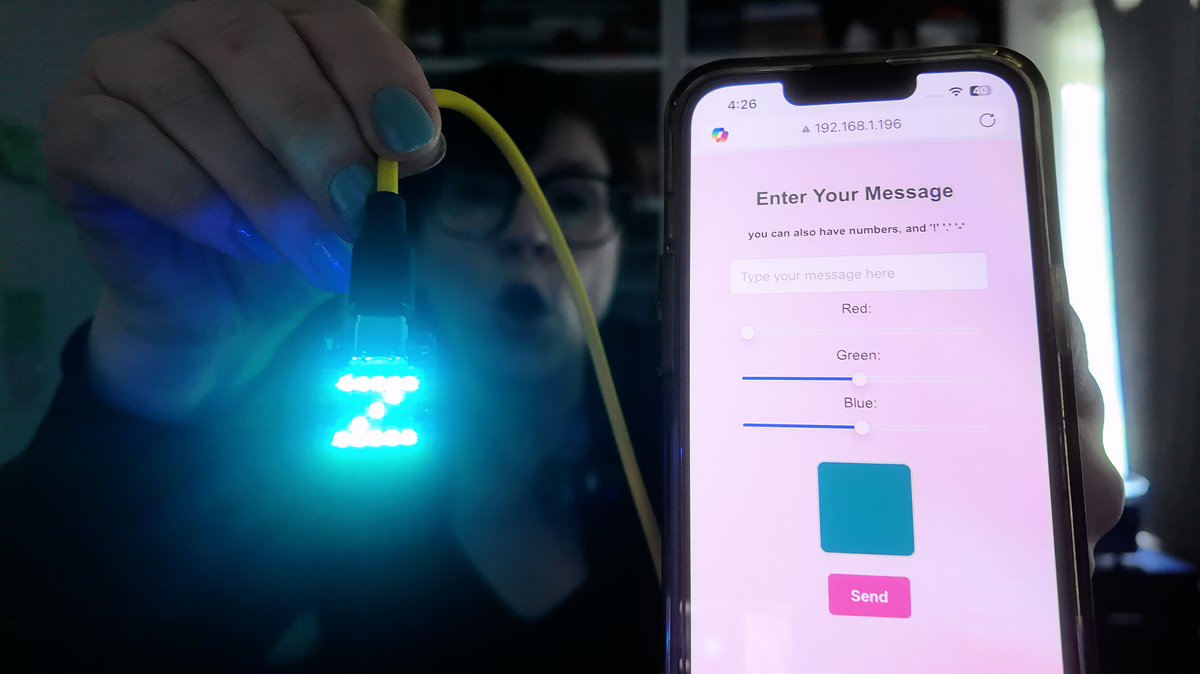
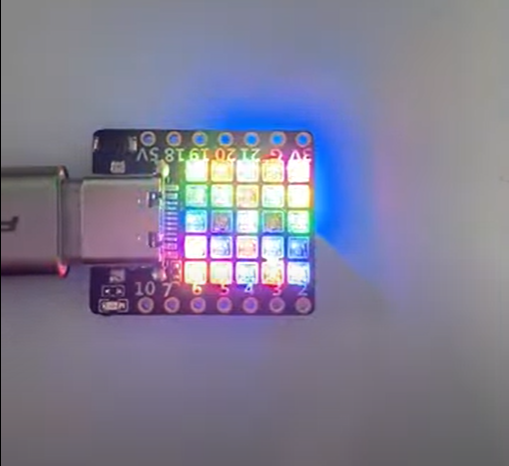
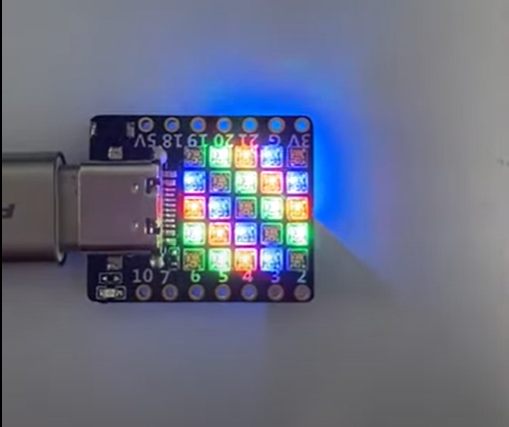
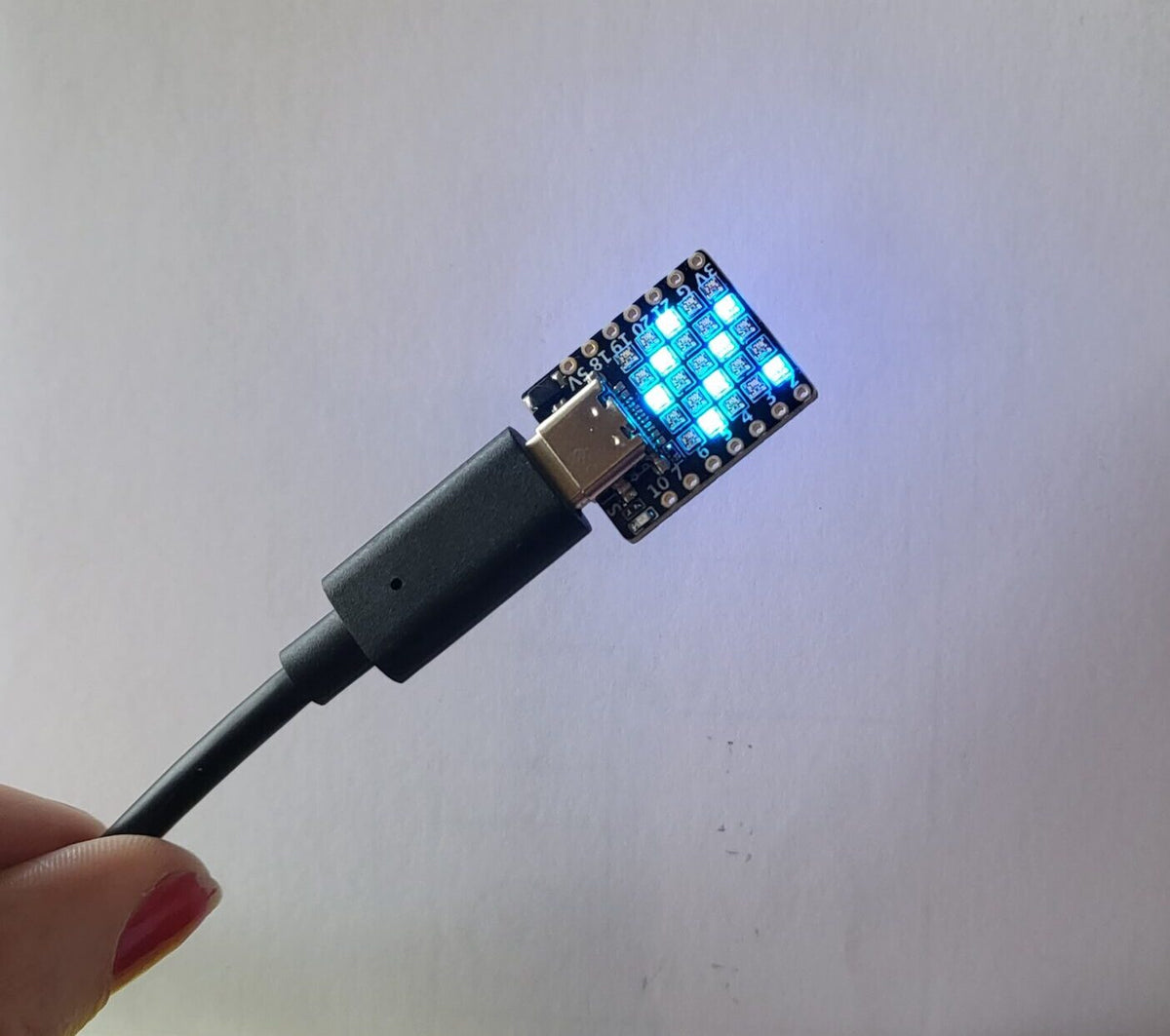
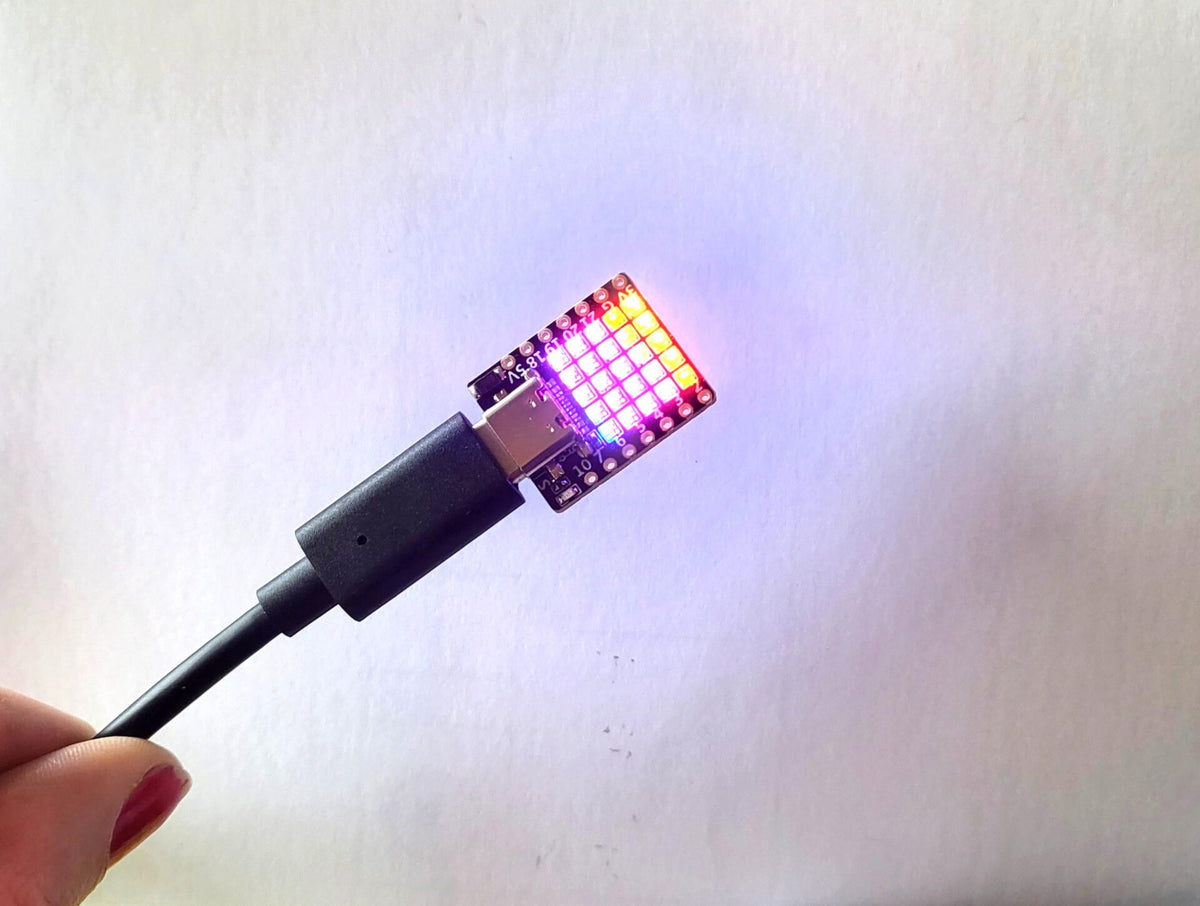
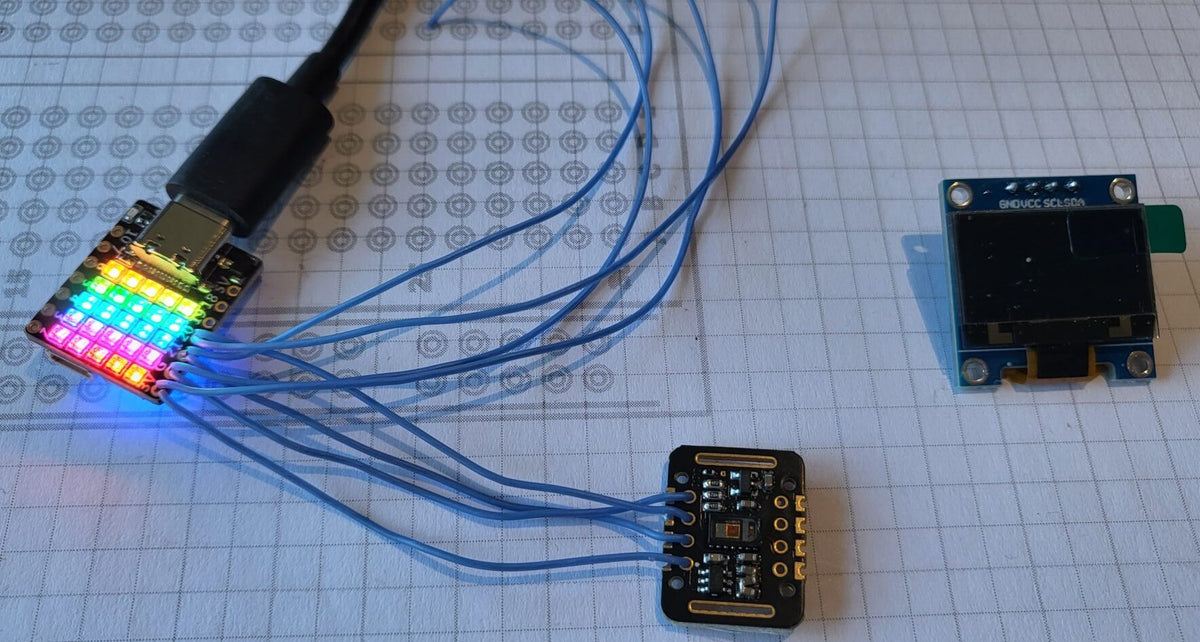
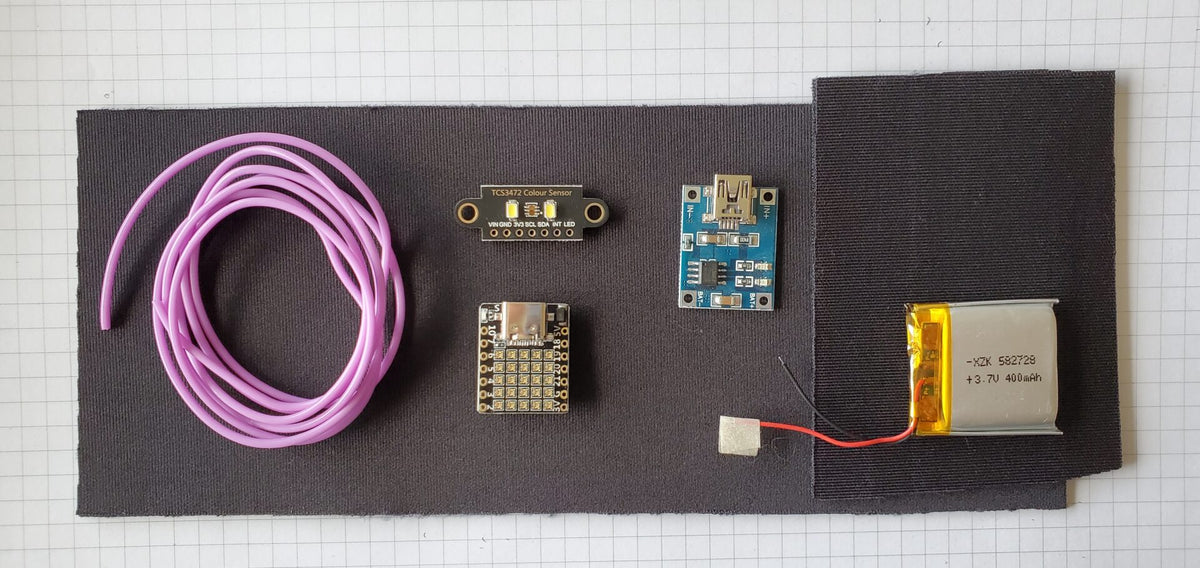
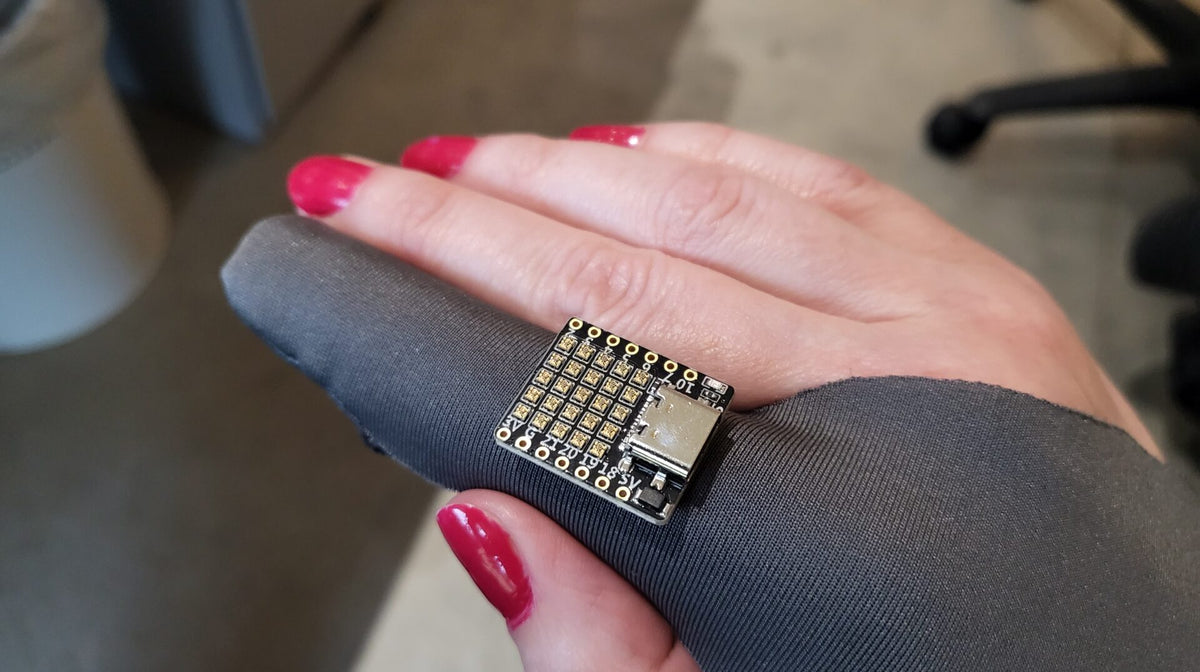
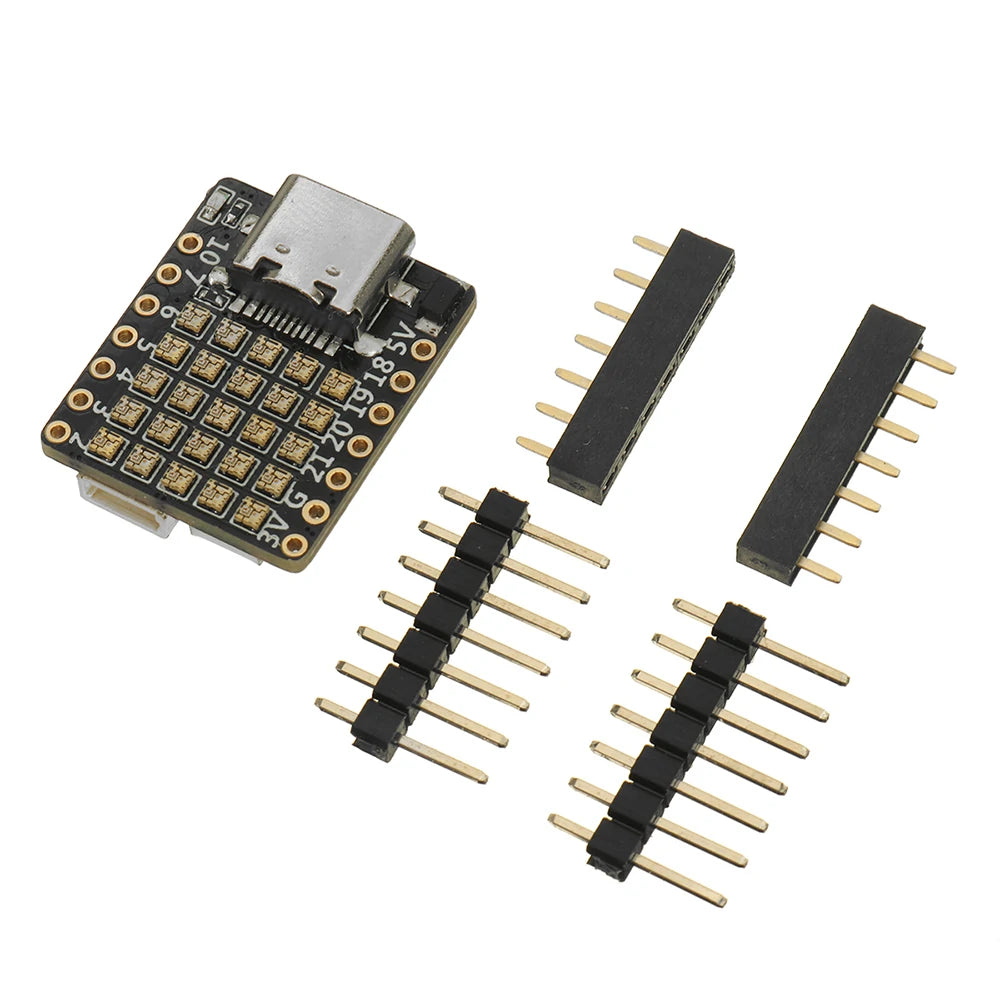
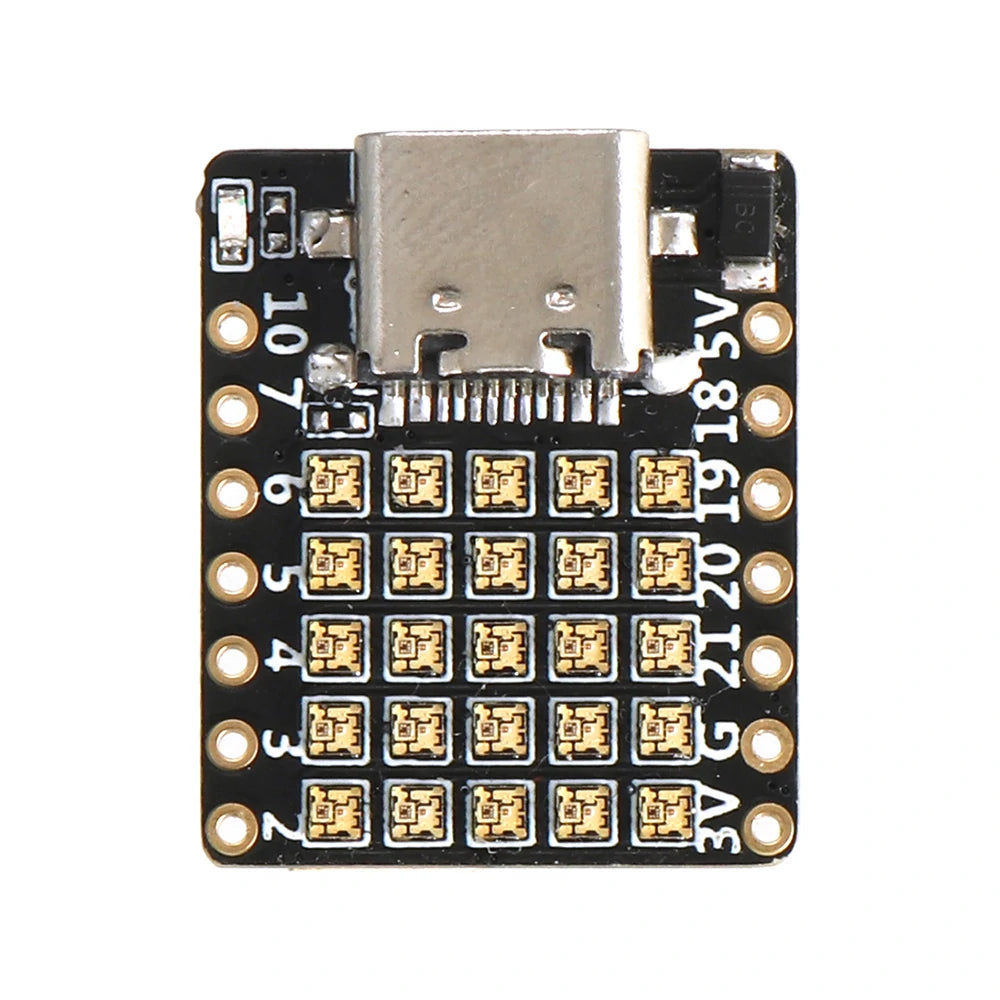
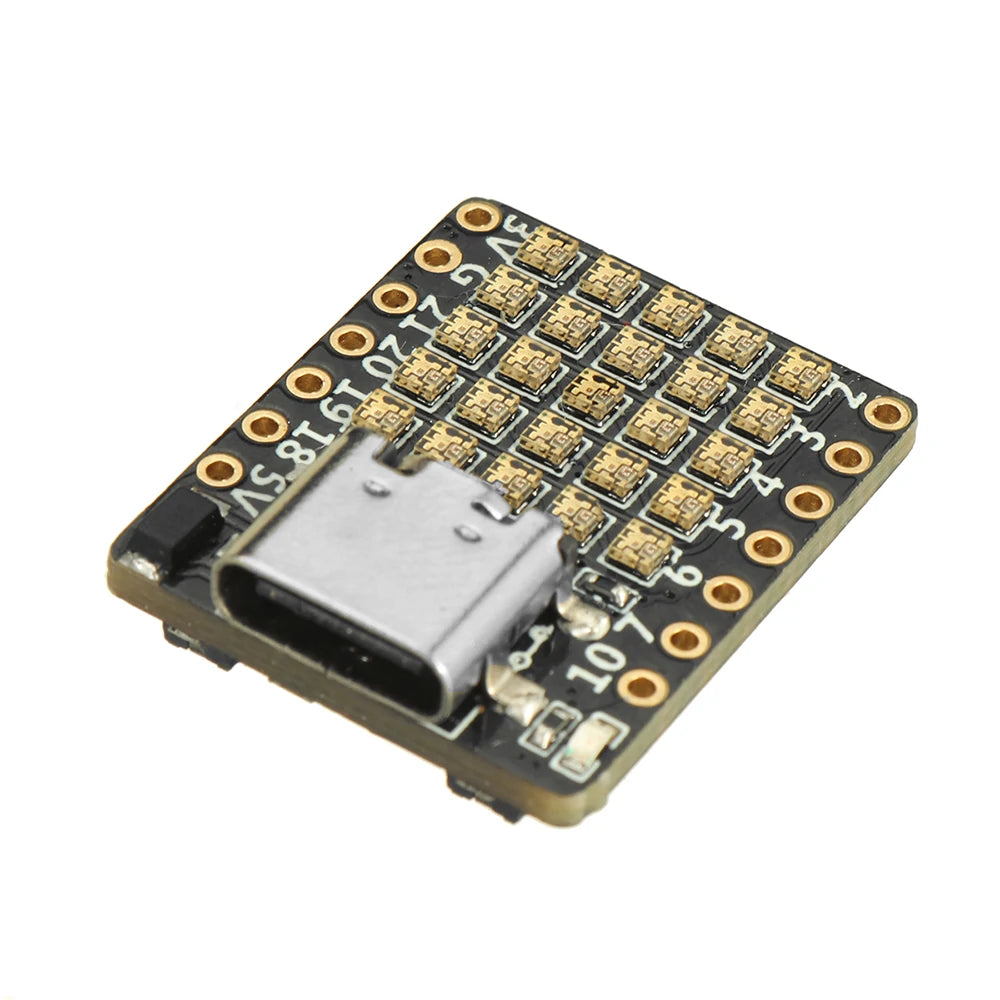
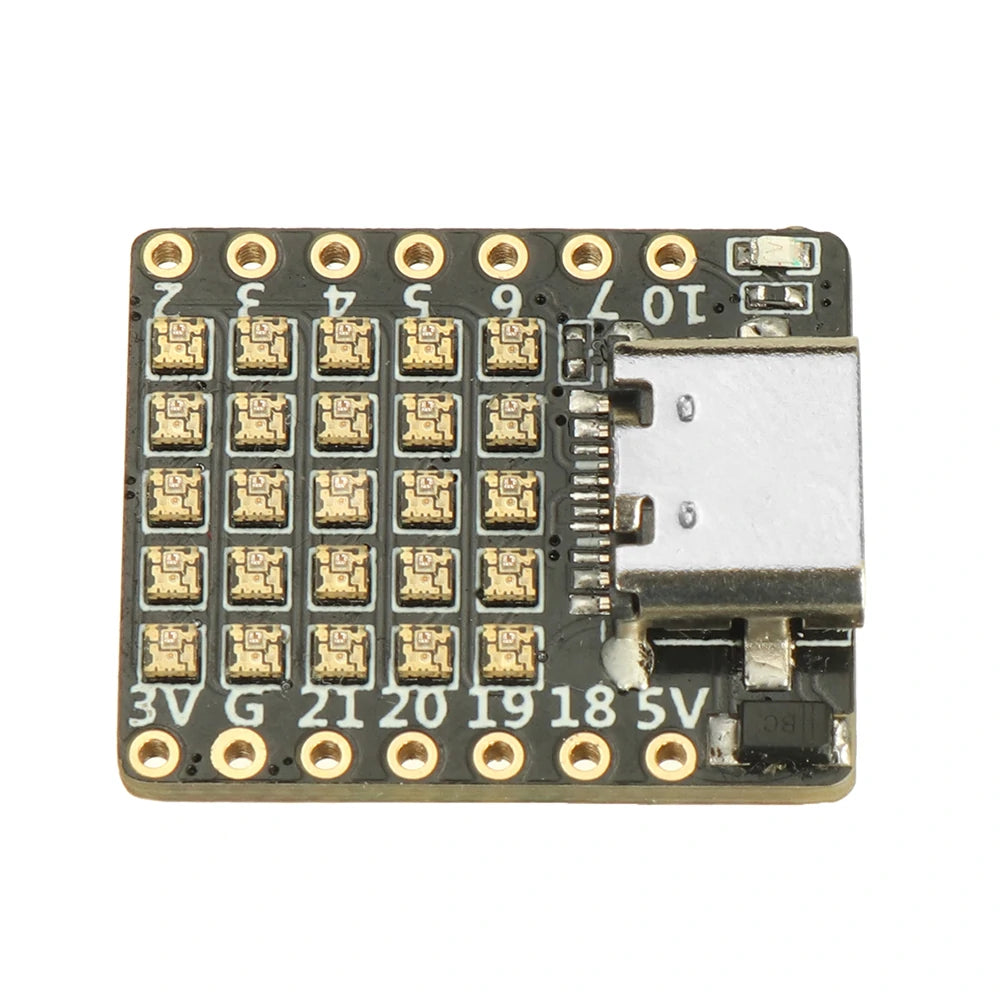
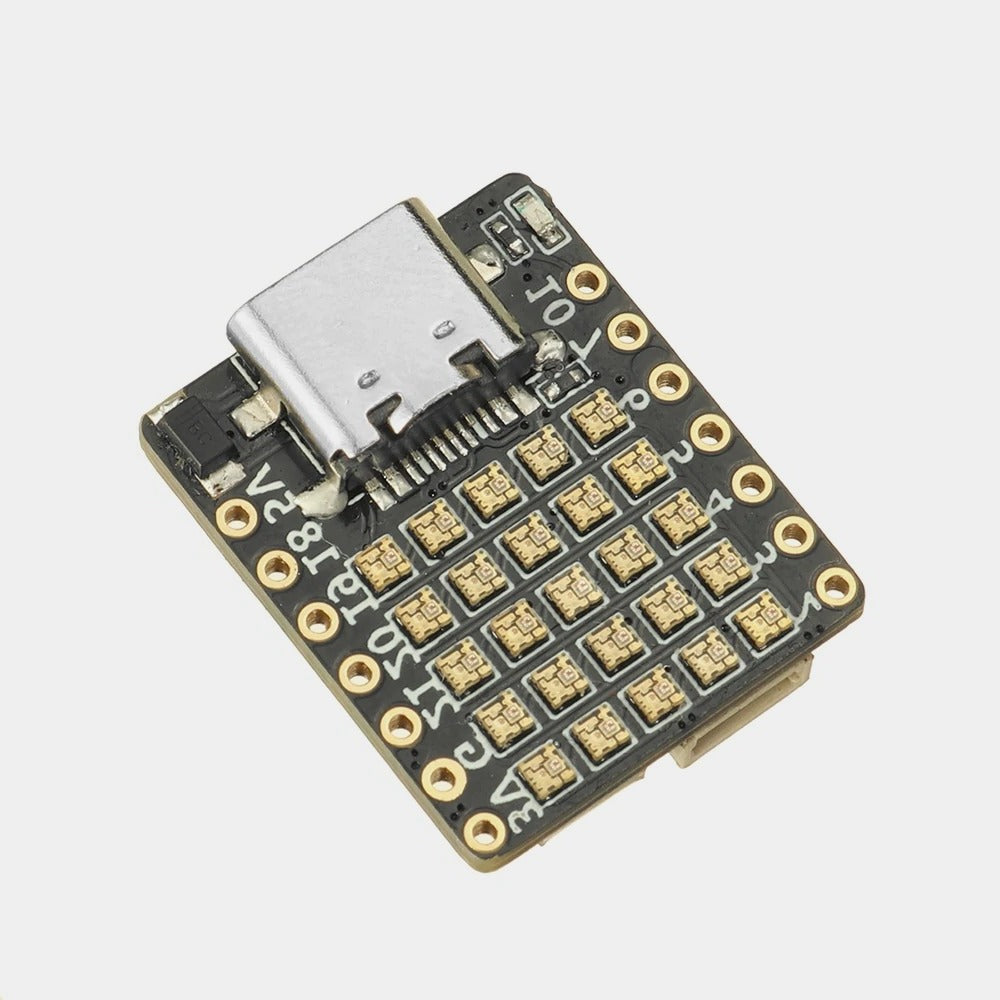
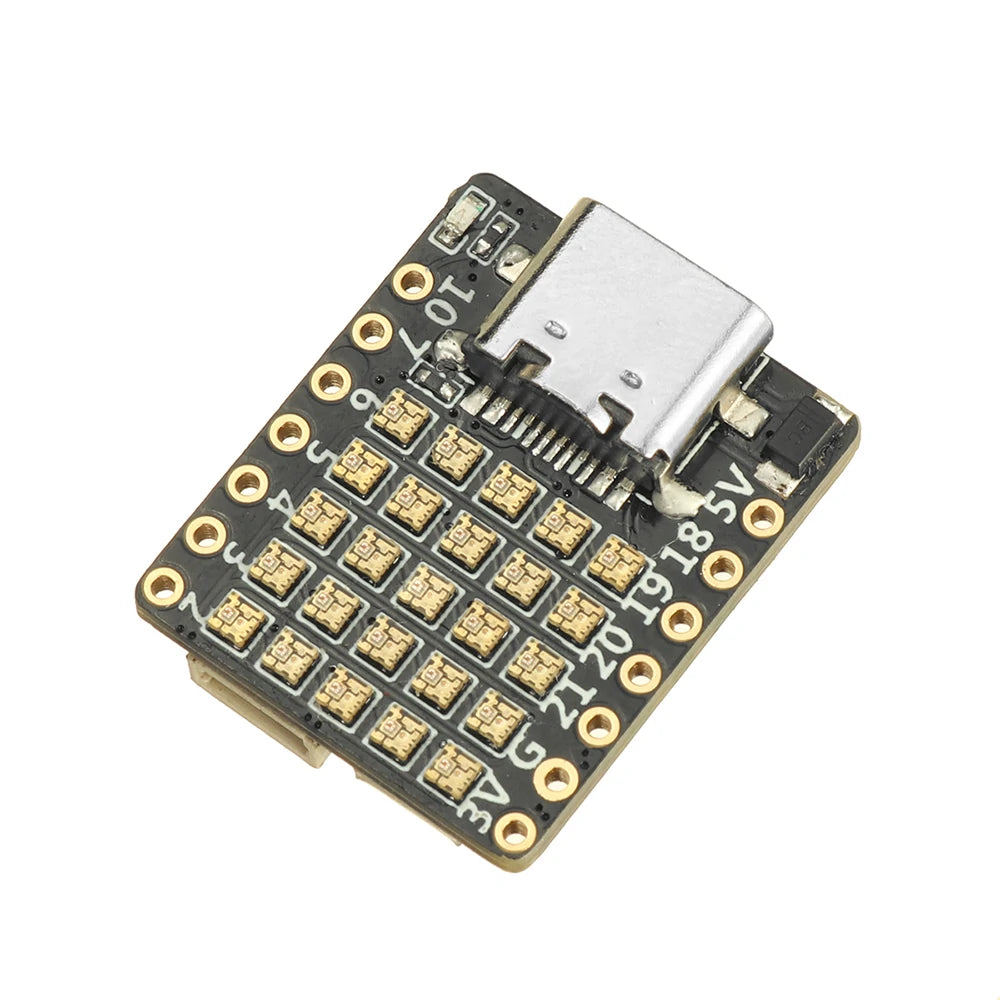
An ultra-compact ESP32-C3 dev board with a built-in 5×5 matrix of 25 WS2812B-1515 RGB LEDs — perfect for wearables, IoT sensors, and any project that needs wireless connectivity plus dazzling visual output in a tiny footprint.
Key Features
- SoC: ESP32-C3FH4, RISC-V 32-bit @ 160MHz
- Memory: 400KB SRAM, 4MB Flash
- Wireless: 2.4GHz WiFi + Bluetooth 5 LE (long-range)
- Security: RSA-3072 secure boot, AES-128-XTS flash encryption
- Display: 25 × WS2812B-1515 RGB LEDs in a 5×5 matrix
- USB: USB-C (CH340E USB-to-TTL)
- GPIO: 11 GPIOs via 2 × 7-pin headers + 4-pin header
- Power: 5V → 3.3V DC/DC (2 channels)
- Buttons: Enable + User
- Dimensions: 21 × 18mm | Weight: ~2.3g
Getting started
- Compatible with Arduino IDE, MicroPython, ESP-IDF
- To view Serial Monitor output: Tools → USB CDC On Boot → Enabled
- Upload tip: Hold B, press & release R, keep holding B, trigger upload in Arduino IDE, release B when connected
- GitHub examples: ESP32-C3FH4-RGB | ESP32-PICO-D4-RGB
Related products
- Want a standard 30-pin ESP32? See the ESP32 Development Board 30-pin.
- Need a compact ESP32-C3 without the LED matrix? Try the Beetle ESP32-C3.
- Want to prototype NeoPixel effects first? Use the Neo Tester – 8-LED WS2812B Strip.
; ============================================================
;  Test: demo for the ESP32-C3 25-LED matrix board
;  tinkertailor.ca
; ============================================================
[env:c3_matrix_demo]
platform = https://github.com/pioarduino/platform-espressif32/releases/download/stable/platform-espressif32.zip
framework = arduino
board = esp32-c3-devkitm-1
monitor_speed = 115200

; This board sends serial over the built-in USB port
build_flags =
  -D ARDUINO_USB_MODE=1
  -D ARDUINO_USB_CDC_ON_BOOT=1
monitor_rts = 0
monitor_dtr = 0

; Library that drives the LEDs
lib_deps =
    adafruit/Adafruit NeoPixel
// ============================================================
// Tinker Tailor demo for the ESP32-C3 5 x 5 LED matrix board
// tinkertailor.ca
//
// Five short scenes play one after another:
// 1. Rainbow wave
// 2. Beating heart
// 3. Rain
// 4. Tinker Tailor fox
// 5. Twinkling sparkle
//
// Pins on this board:
// LED data (25 x WS2812) = GPIO8
// Header pins: GND, 3V, GPIO0, GPIO1
//
// The LEDs run row by row, left to right, so the LED at column
// x and row y (both counted from 0, top left) is number y * 5 + x.
// ============================================================
#include <Arduino.h>
#include <Adafruit_NeoPixel.h>
const int LED_PIN = 8;
const int GRID = 5;
const int LED_COUNT = GRID * GRID;
// Brightness 0 to 255. These LEDs are very bright, so keep it low.
const int BRIGHTNESS = 30;
// How long each scene plays, in milliseconds
const unsigned long SCENE_TIME = 6000;
const int SCENE_COUNT = 5;
Adafruit_NeoPixel strip(LED_COUNT, LED_PIN, NEO_GRB + NEO_KHZ800);
int currentScene = 0;
unsigned long sceneStart = 0;
// Turn column x and row y into the LED number
int ledIndex(int x, int y) {
return y * GRID + x;
}
// Scale a colour by an amount from 0.0 (off) to 1.0 (full)
uint32_t scaled(uint8_t r, uint8_t g, uint8_t b, float amount) {
if (amount < 0) amount = 0;
if (amount > 1) amount = 1;
return strip.Color(r * amount, g * amount, b * amount);
}
// ---------- Scene 1: rainbow wave ----------
void sceneRainbow(unsigned long t) {
for (int y = 0; y < GRID; y++) {
for (int x = 0; x < GRID; x++) {
// Hue is a number from 0 to 65535 around the colour wheel
uint16_t hue = (uint16_t)(t * 12 + (x + y) * 6500);
strip.setPixelColor(ledIndex(x, y), strip.ColorHSV(hue, 255, 255));
}
}
}
// ---------- Scene 2: beating heart ----------
// 1 means the LED is part of the heart
const uint8_t heart[GRID][GRID] = {
{0, 1, 0, 1, 0},
{1, 1, 1, 1, 1},
{1, 1, 1, 1, 1},
{0, 1, 1, 1, 0},
{0, 0, 1, 0, 0}
};
void sceneHeart(unsigned long t) {
// Two quick beats, then a rest, repeating every 1.2 seconds
unsigned long beat = t % 1200;
float amount = 0.25;
if (beat < 150) amount = 0.25 + beat / 150.0 * 0.75;
else if (beat < 300) amount = 1.0 - (beat - 150) / 150.0 * 0.6;
else if (beat < 450) amount = 0.4 + (beat - 300) / 150.0 * 0.6;
else if (beat < 700) amount = 1.0 - (beat - 450) / 250.0 * 0.75;
for (int y = 0; y < GRID; y++) {
for (int x = 0; x < GRID; x++) {
if (heart[y][x]) {
strip.setPixelColor(ledIndex(x, y), scaled(255, 20, 80, amount));
}
}
}
}
// ---------- Scene 3: rain ----------
void sceneRain(unsigned long t) {
// Each column has its own speed and starting point
const int speedMs[GRID] = {110, 150, 90, 130, 170};
const int startAt[GRID] = {0, 4, 2, 6, 1};
for (int x = 0; x < GRID; x++) {
// The drop moves down and spends a few steps off screen
// before it comes back at the top
int head = (t / speedMs[x] + startAt[x]) % 9;
for (int tail = 0; tail < 3; tail++) {
int y = head - tail;
if (y >= 0 && y < GRID) {
float amount = (tail == 0) ? 1.0 : (tail == 1 ? 0.35 : 0.12);
strip.setPixelColor(ledIndex(x, y), scaled(40, 120, 255, amount));
}
}
}
}
// ---------- Scene 4: fox ----------
// 0 = off, 1 = orange fur, 2 = white
const uint8_t fox[GRID][GRID] = {
{1, 0, 0, 0, 1},
{1, 1, 1, 1, 1},
{1, 0, 1, 0, 1},
{0, 2, 2, 2, 0},
{0, 0, 2, 0, 0}
};
void sceneFox(unsigned long t) {
// A gentle glow so the fox looks alive
float glow = 0.75 + 0.25 * sin(t / 350.0);
for (int y = 0; y < GRID; y++) {
for (int x = 0; x < GRID; x++) {
if (fox[y][x] == 1) {
strip.setPixelColor(ledIndex(x, y), scaled(255, 70, 0, glow));
} else if (fox[y][x] == 2) {
strip.setPixelColor(ledIndex(x, y), scaled(255, 200, 160, glow));
}
}
}
}
// ---------- Scene 5: twinkling sparkle ----------
void sceneSparkle(unsigned long t) {
for (int i = 0; i < LED_COUNT; i++) {
// Each LED rises and falls on its own timing
float wave = sin((t + i * 337) / 280.0);
float amount = (wave > 0) ? wave * wave : 0;
// Teal and gold, the Tinker Tailor colours
if (i % 2 == 0) {
strip.setPixelColor(i, scaled(0, 220, 200, amount));
} else {
strip.setPixelColor(i, scaled(255, 180, 20, amount));
}
}
}
void setup() {
strip.begin();
strip.setBrightness(BRIGHTNESS);
strip.clear();
strip.show();
sceneStart = millis();
}
void loop() {
unsigned long now = millis();
unsigned long t = now - sceneStart;
// Move to the next scene when time is up
if (t >= SCENE_TIME) {
currentScene = (currentScene + 1) % SCENE_COUNT;
sceneStart = now;
t = 0;
}
strip.clear();
switch (currentScene) {
case 0: sceneRainbow(t); break;
case 1: sceneHeart(t); break;
case 2: sceneRain(t); break;
case 3: sceneFox(t); break;
case 4: sceneSparkle(t); break;
}
strip.show();
delay(20);
}